
Runs
#/runs is the history of everything that was executed on your tasks: agent runs (headless coding sessions) and flow runs (gate evaluations). Switch between them with the Agents / Flows control; Lens opens on agents when there are any.
Agent runs
The list on the left holds two kinds of entries, newest first:
- Live runs started by this Lens process. A spinner marks a run in progress; a dot marks one that finished, was stopped or failed. Address:
#/runs/agent/<id>. - Recorded transcripts from every task's
runs/folder, including runs started withmaverick agent runin a terminal or in CI. Address:#/runs/transcript/<task>/<file>.
A run started by Lens is listed once, as a live run, even though it also has a transcript.
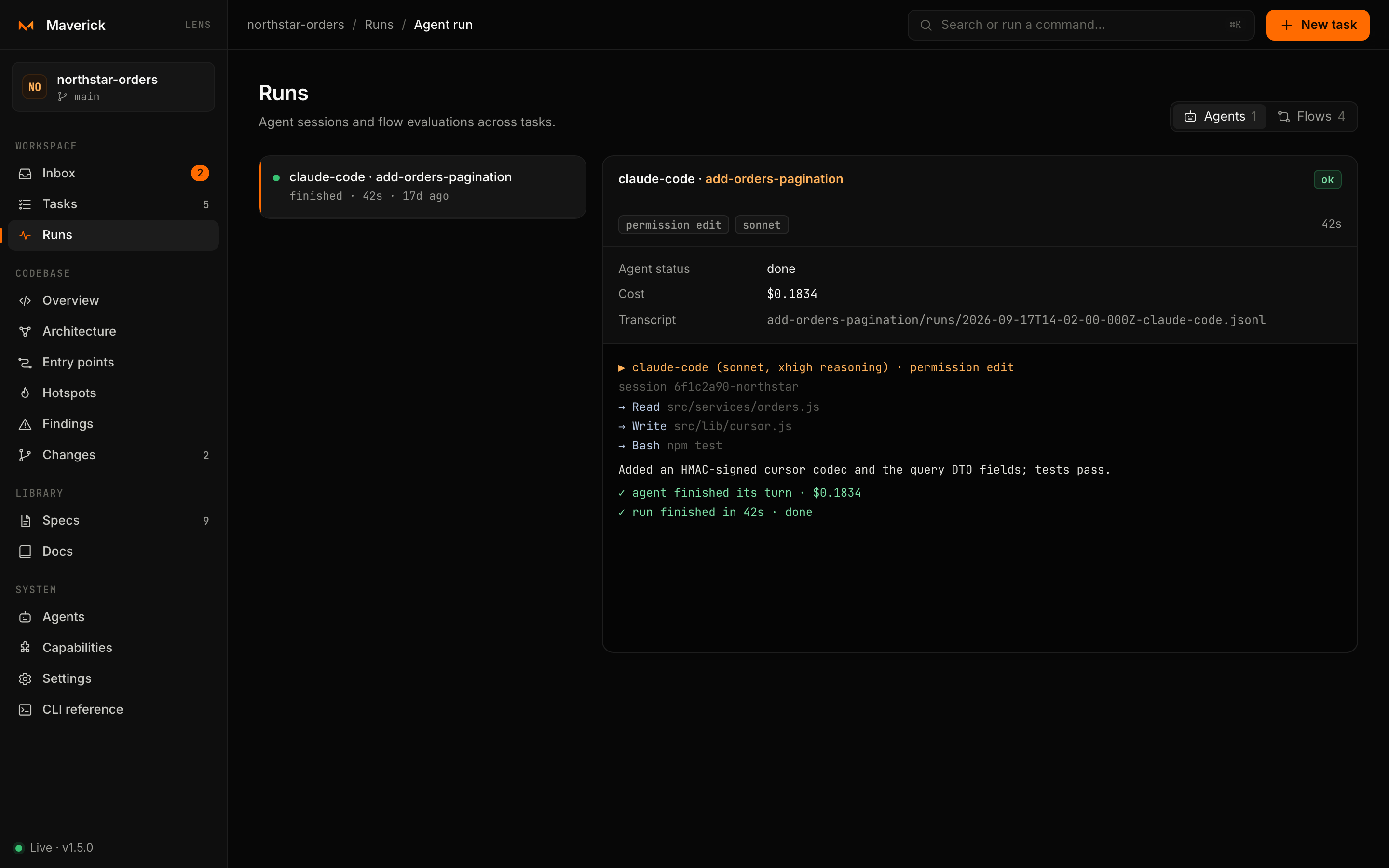
The run view
| Part | Shows |
|---|---|
| Header | Provider, task and subtask, the status — running, ok, failed, stopped — and Stop while it runs |
| Tags | Subtask title, permission, model, and fixing gates for a fix run |
| Stream | One line per event, painted as it arrives |
| Result | Summary, files changed, questions, cost, duration, problems and warnings, and the transcript path |
Stream lines use a small vocabulary:
| Line | Event |
|---|---|
▶ claude-code (sonnet, xhigh reasoning) · permission edit | start — what was launched |
session … | session — the provider's session id |
| plain text | text — the agent's messages |
→ Edit src/orders/list.ts | tool — a tool call and its argument |
! … | error |
✓ agent finished its turn · $0.0412 | result — the agent's own verdict, with cost when reported |
✓ run finished in 184s · done | end — the outcome after Maverick's checks |
Lens keeps the last 3,000 events of a run in memory and shows the last 3,000 lines of a transcript.
Stop aborts the agent process and marks the run stopped. Closing Lens stops every run it started; transcripts stay on disk.
Earlier sessions
Live runs exist only in the Lens process that started them. After a restart, open the same run from its transcript in the list.
Transcripts
Every run writes .maverick/tasks/<task>/runs/<timestamp>-<provider>.jsonl, one JSON event per line. The list reads from each transcript the provider, model, permission, start time, outcome, duration, cost, problems and the number of tool calls. Transcripts are plain files: commit them, attach them to a pull request or read them with maverick agent runs <task>.
Flow runs
Every run of every flow on every task, newest first, up to 200. Filter by outcome: All, Passing, Awaiting (approval) or Failed (revise, stalled or exhausted).
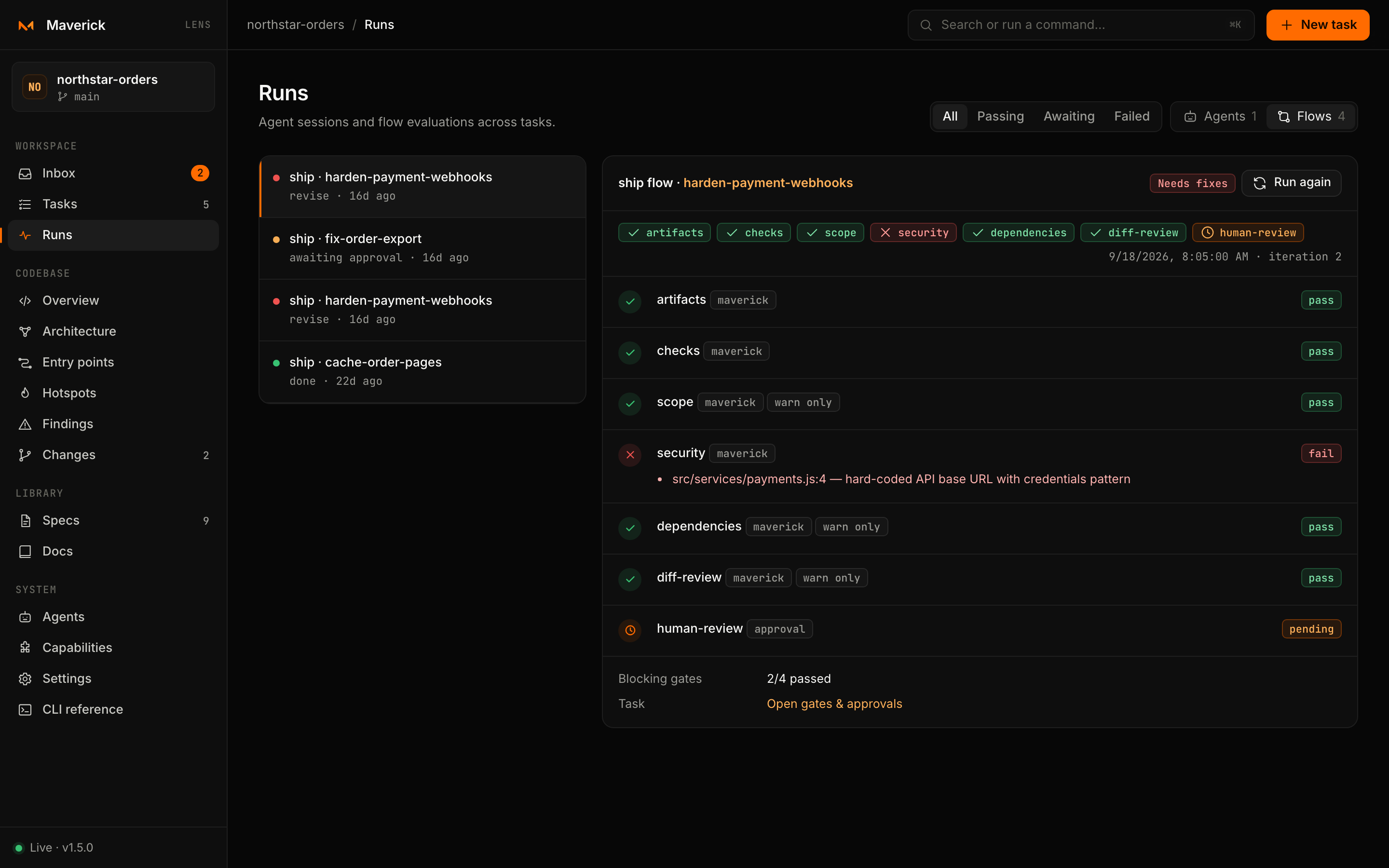
Selecting a run (#/runs/flow/<n>) shows:
- the flow, task, outcome, iteration and time;
- Blocking gates passed out of the total;
- every gate result with its status, summary and issues;
- a link to the task's gates and Run again.
Flow runs are read from .maverick/tasks/<task>/flows/<flow>.json, the state file maverick flow run maintains.
Outcomes
| Outcome | Shown as | Meaning |
|---|---|---|
done | Passing | Every blocking gate passed and approvals are recorded |
awaiting-approval | Awaiting approval | Automated gates passed; a human decision is missing |
revise | Needs fixes | At least one blocking gate failed; iterations remain |
stalled | Stalled | Failures did not change across the no-progress window |
exhausted | Out of iterations | The iteration cap was reached without passing |
stalled and exhausted are terminal: run the flow with Reset and run (--reset) to start counting again.