
Inbox and tasks
The Workspace section answers two questions: what needs me right now? (Inbox) and where does every change stand? (Tasks).
Task states
Lens sorts every task into one of four states, derived from its files and flow runs each time the index is rebuilt. The rules are evaluated in this order; the first one that matches wins.
| State | When | Shown as |
|---|---|---|
| Needs you | A flow ended in revise, stalled or exhausted (blocking gates failed) | Fix |
| Needs you | A flow is awaiting-approval: every automated gate passed and the human gate is left | Approve |
| Needs you | The subtask graph has problems, such as a missing dependency or a cycle | Fix |
| Ready to ship | The task is at the PR stage, before or after its pull request is open | Ready to ship |
| Done | Someone finished the task (maverick done, or Finish task in Lens) | Done |
| Not started | The task is at the PRD stage and PRD.md does not exist yet | Not started |
| In progress | Anything else, including a Build stage with a ready subtask | In progress |
The task's stage — PRD, Spec, Tech spec, Tasks, Build, Verify, Security, Review, PR, Done — comes from its workflow (standard, spec-driven or strict) and the artifacts present, exactly as maverick status computes it.
Inbox
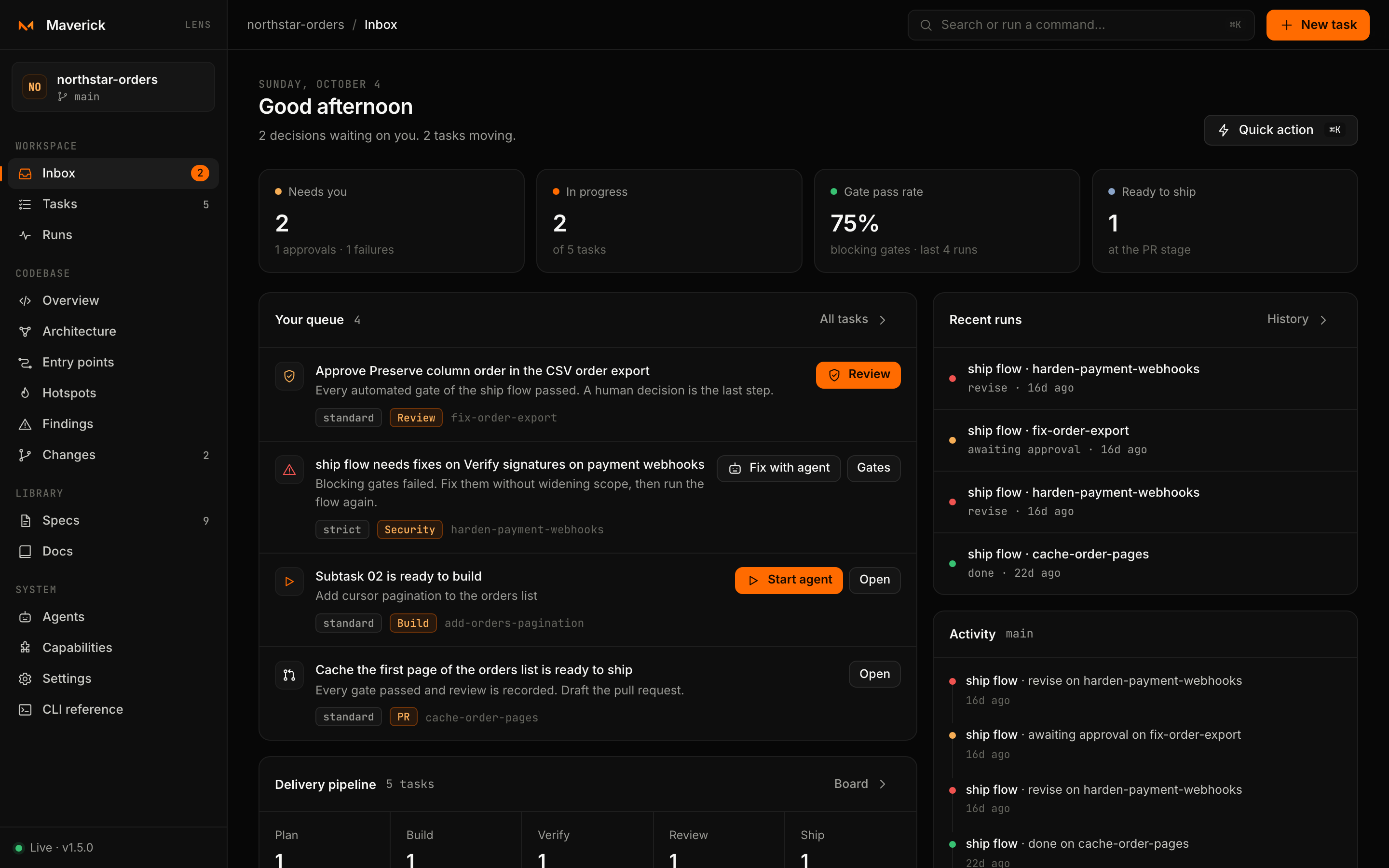
#/inbox is the home page. Its header greets you and summarizes the day: how many decisions wait on you, how many tasks are moving and how many agents are working.
Key numbers
| Card | Meaning | Opens |
|---|---|---|
| Needs you | Approvals and failures waiting on a human, with a breakdown | Tasks filtered by Needs you |
| In progress | Tasks in the In progress state, out of all tasks | Tasks filtered by In progress |
| Gate pass rate | Share of blocking, automated gate results that passed in the last 20 flow runs; — before the first run | Runs |
| Ready to ship | Tasks at the PR stage | Tasks filtered by Ready to ship |
Your queue
One item per task that needs a decision or can move now, most urgent first, each with its action next to it:
| Rank | Item | Actions |
|---|---|---|
| 1 | Approve task — every automated gate of the flow passed | Review opens the gates tab of that flow |
| 2 | flow flow needs fixes — blocking gates failed | Fix with agent, Gates |
| 2 | Subtask graph is broken | Open subtasks |
| 3 | Subtask n is ready to build | Start agent, Open (the subtasks tab) |
| 4 | task is ready to ship | Open pull request (runs the pr flow), Open |
| 4 | task has an open pull request — finish it once it merges | Pull request (opens it), Finish |
When the queue is empty, Lens says so: no approvals, failures or ready subtasks right now.
The rest of the page
- Delivery pipeline counts tasks per lane — Plan (PRD, Spec, Tech spec, Tasks), Build, Verify (Verify, Security), Review, Ship (PR) and Done — and links to the board.
- Up next lists up to five tasks that are not started or in progress and are not already in the queue.
- Agents working appears while agent runs are live, each linking to its stream.
- Recent runs shows the last five flow runs with their outcome.
- Activity mixes recent flow runs with the latest commits on the current branch.
A project without tasks shows a single call to action: New task.
Tasks
#/tasks lists every task under the configured task root (.maverick/tasks by default).
Filtering and sorting
- Filter (
/) matches the title, the id and the workflow. - State narrows to All, Needs you, In progress, Ready to ship, Not started or Done, with a count for each.
- Sort by Most recent (last change to the task folder) or Name.
- The state filter and the layout are kept in the address (
#/tasks?filter=attention&view=board), so a filtered board can be bookmarked.
List and board
List groups tasks by state. Each row shows a progress ring (how far through its workflow the task is), the title, id, workflow and subtasks done, a strip of stage dots, the state and when it last changed.
Board shows one column per lane — Plan, Build, Verify, Review, Ship, Done. Cards show the precise stage for lanes that hold several, an approve or fix tag when the task needs you, the workflow, the subtask count and the last change.
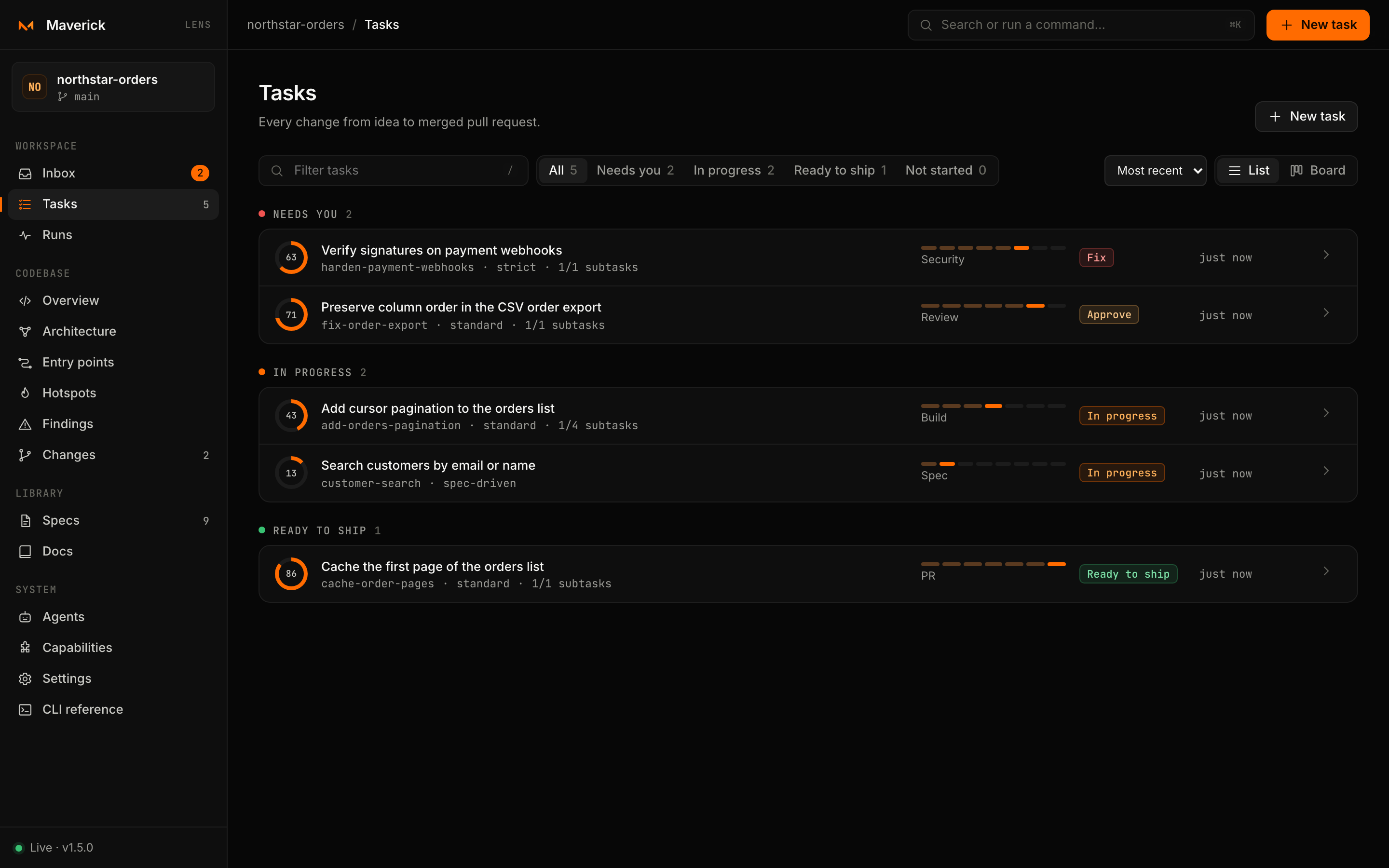
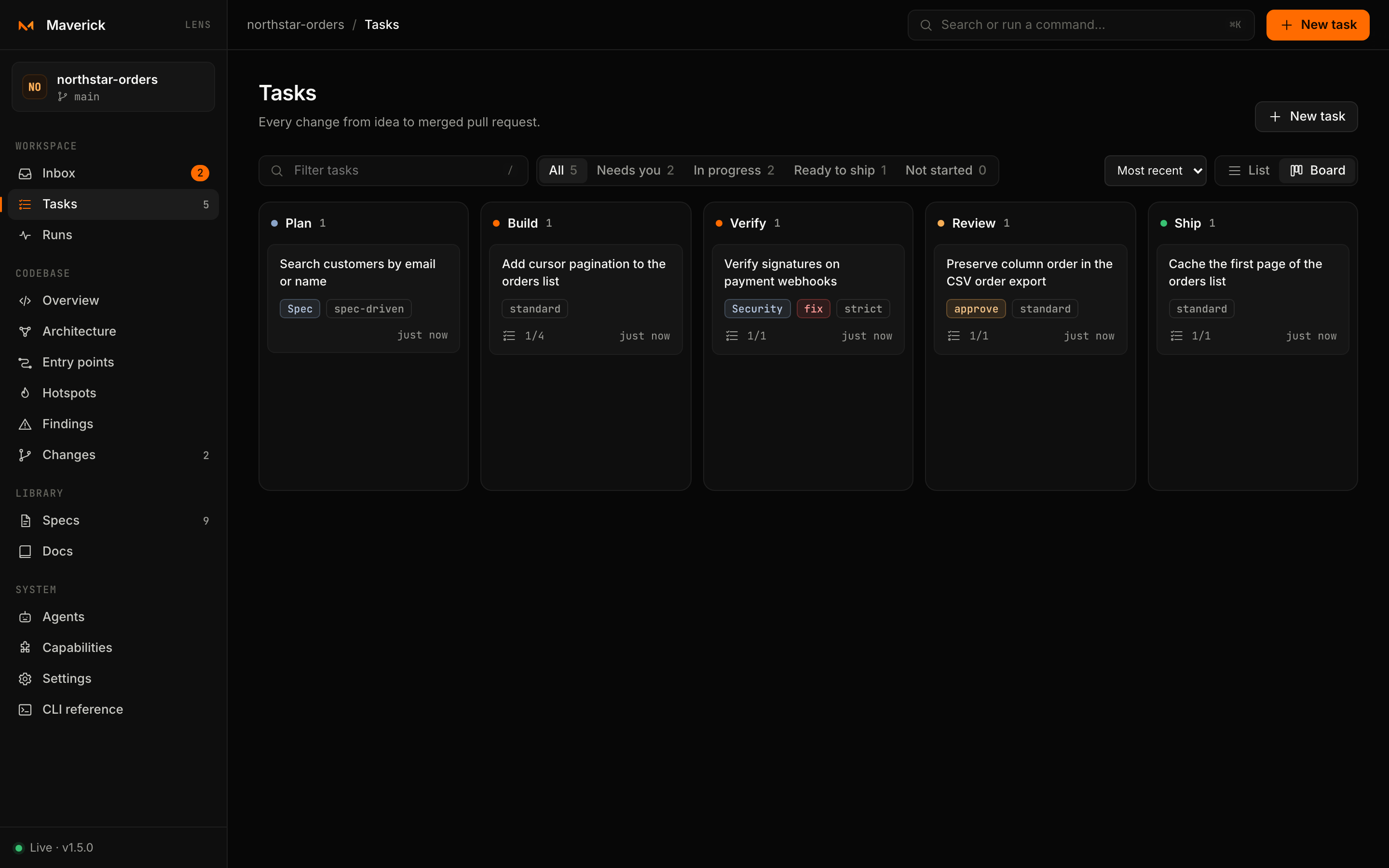
Click a row or card, or focus it and press Enter, to open the task page.
Creating a task
Press N, choose New task in the top bar or the palette, or use Create task on a Devtools finding.
| Field | Use |
|---|---|
| Goal | One line describing the change, up to 140 characters. It becomes the task id: Add pagination to the orders API → add-pagination-to-the-orders-api. |
| Context | Constraints, links and what success looks like. It is added to the idea your agent receives. |
| Workflow | Standard (PRD → tech spec → tasks), Spec-driven (adds an approved behavioral spec) or Strict (security gate and checkpoints). |
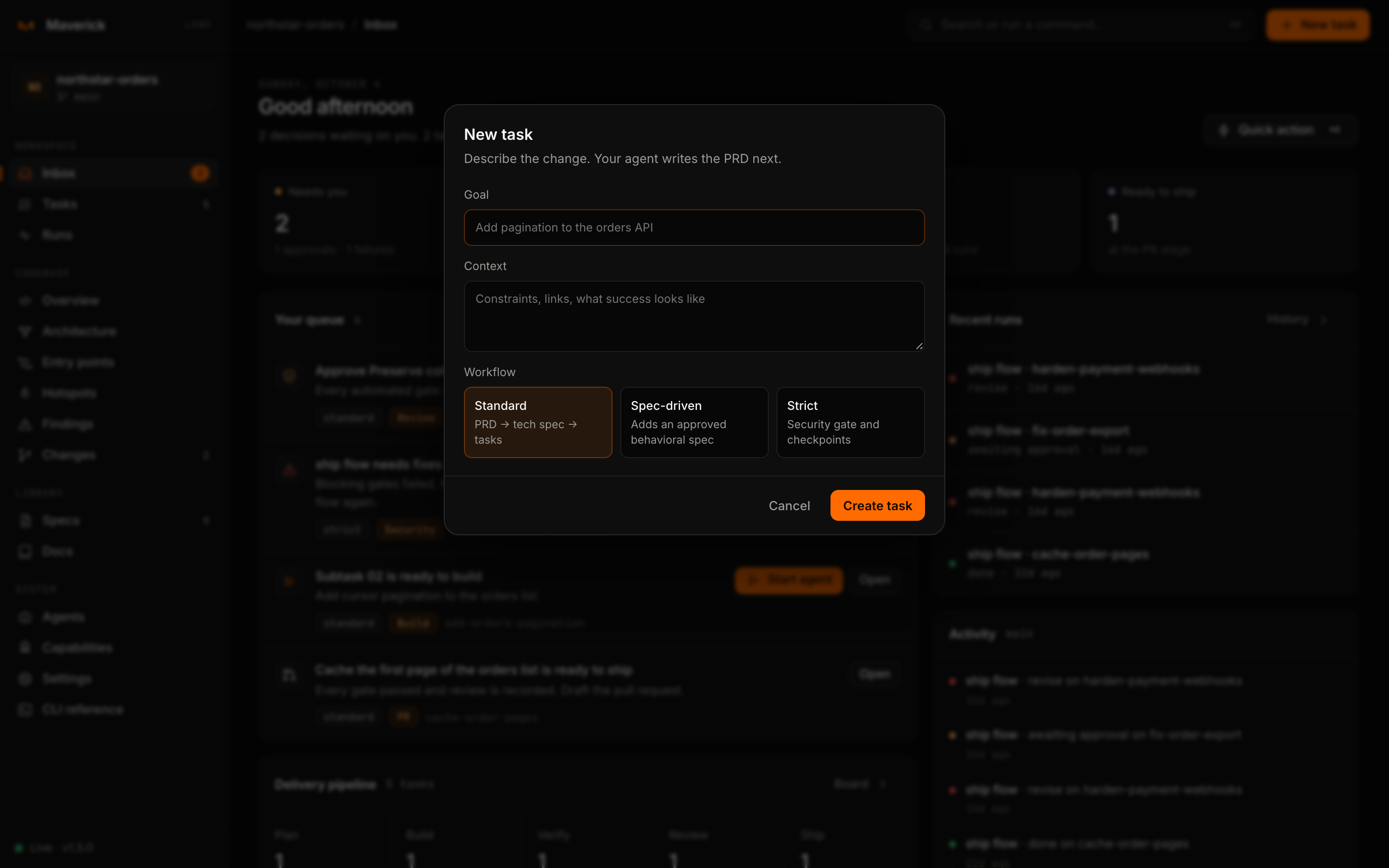
Lens runs:
maverick new "<goal>. <context>" --slug <id> --no-launch [--workflow spec-driven|strict]and opens the new task. Lens only creates the task; the PRD, spec and subtasks are written by your agent from the instructions the task page offers next. If the id already exists, the dialog shows the error and nothing is written.