
The interface
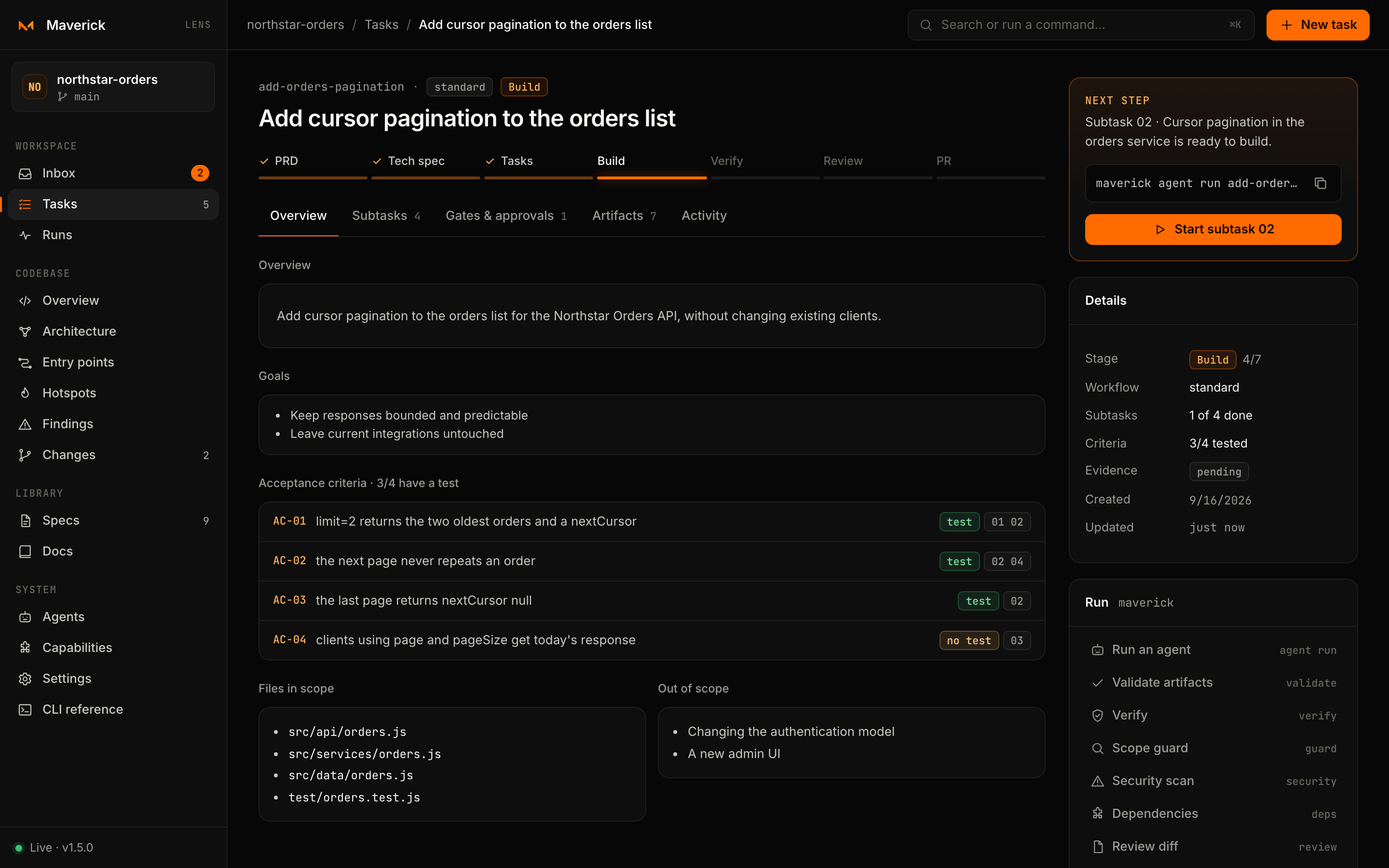
Lens is a single page with a sidebar, a top bar and the current view. This page explains the parts that every view shares: navigation, addresses, the command palette, keyboard shortcuts, live refresh and the panels that show command output.
Layout
| Area | What it holds |
|---|---|
| Sidebar | The project name and current Git branch, then the four sections — Workspace, Codebase, Library, System — and, at the bottom, the live indicator with the Maverick version. Badges show how many tasks need you, how many tasks exist, how many agents are running and how many files changed. |
| Top bar | Breadcrumbs (project › section › item), the search field that opens the command palette, and New task. |
| View | The page itself. Views that load data show a skeleton first and keep your scroll position when they refresh. |
On narrow windows the sidebar collapses behind the menu button.
Addresses
Every view has its own URL fragment, so the browser's back and forward buttons work and any view can be bookmarked or shared with someone running Lens on the same repository.
| Address | View |
|---|---|
#/inbox | Inbox (the default) |
#/tasks · #/tasks?filter=attention · #/tasks?view=board | Tasks, optionally filtered by state or shown as a board |
#/tasks/<task> | The task page, Overview tab |
#/tasks/<task>/subtasks · /gates · /artifacts · /activity | Another tab of the task page |
#/tasks/<task>/gates?flow=spec | Gates of a specific flow |
#/runs · #/runs?kind=agents · #/runs?kind=flows | Runs, by kind |
#/runs/agent/<id> | A live agent run started by this Lens process |
#/runs/transcript/<task>/<file> | A recorded agent transcript |
#/runs/flow/<n> | A flow run, newest first |
#/loops · #/loops/<task>/<loop id> | Loops, and one loop's ratchet, iterations and ledger |
#devtools/<view> | A Devtools view: overview, map, routes, coupling, cycles, hotspots, impact, integrations, team, debt, findings |
#devtools/map?component=<id> · #devtools/impact?file=<a>,<b> | Devtools with a component opened or files selected |
#/changes | Working tree and recent commits |
#/specs?path=<file> · #/docs?path=<file> · #/lab?path=<file> | A document in the Library |
#/agents · #/capabilities · #/settings · #/cli | System views |
Command palette
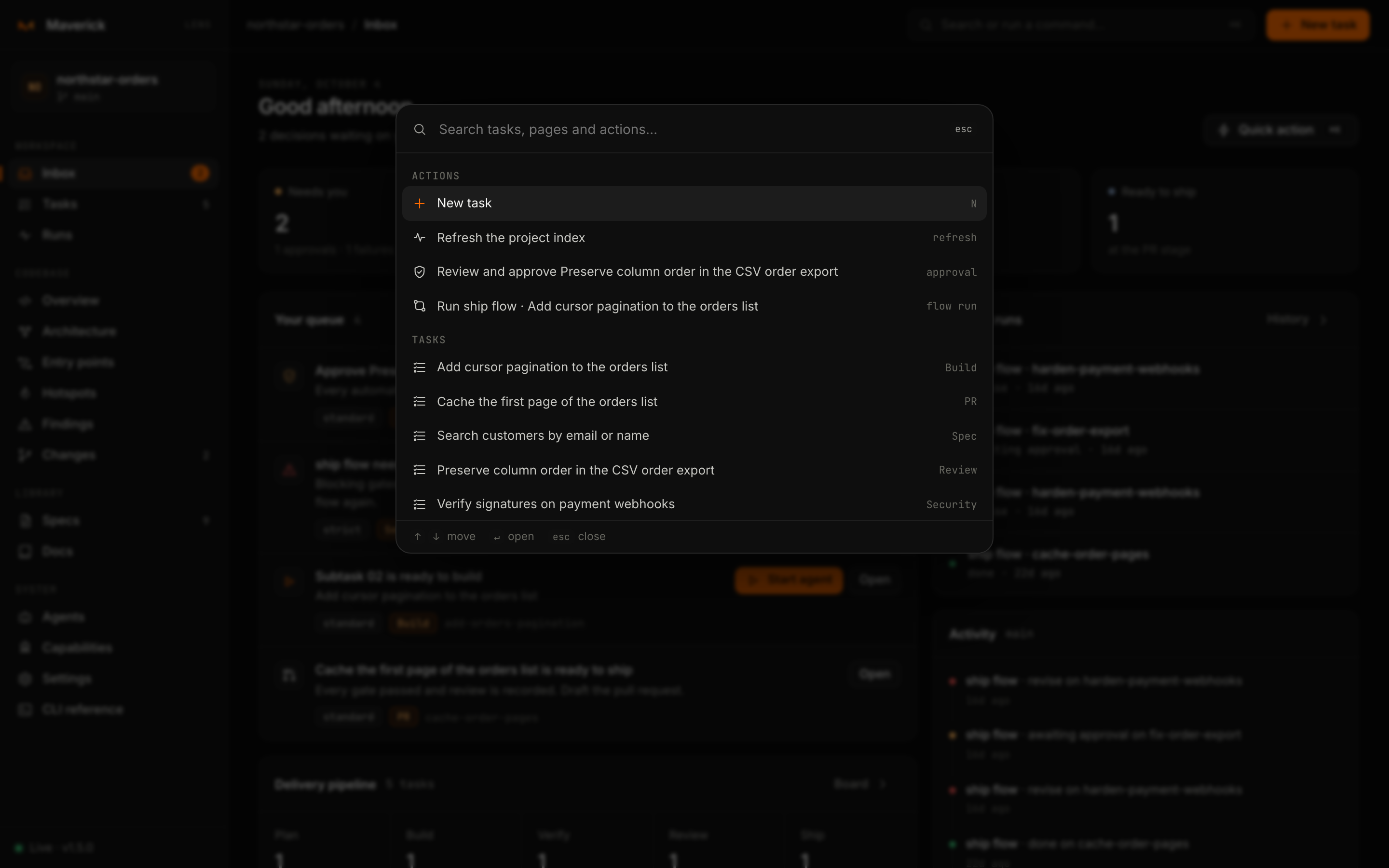
Press ⌘K on macOS or Ctrl+K elsewhere, or click the search field in the top bar.
| Group | Entries |
|---|---|
| Actions | New task · Refresh the project index · Review and approve task (for every task awaiting approval) · Run ship flow · task |
| Tasks | Every task, with its current stage |
| Go to | Every view in the sidebar |
With an empty query the palette shows the first actions, the six most recent tasks and every view. Type to filter by name or hint; use ↑ ↓ to move, Enter to run and Esc to close.
Inside the Codebase views, ⌘K / Ctrl+K and / open the Devtools palette instead, which searches views, files, routes, components, integrations and findings. See Devtools.
Keyboard shortcuts
| Key | Where | Action |
|---|---|---|
⌘K / Ctrl+K | Anywhere | Command palette (Devtools palette inside Codebase) |
N | Outside text fields | New task |
/ | Tasks | Focus the task filter |
/ | Codebase | Devtools palette |
Enter | A focused task row or card | Open it |
Esc | Anywhere | Close the palette, a dialog or the output panel; close the sidebar on small screens |
f | Architecture map | Fit the map to the screen |
Esc | Architecture map | Clear the selection |
Single-key shortcuts are ignored while you type in a field or while a dialog is open.
Live refresh
Lens keeps one Server-Sent Events connection open to /api/events. The live dot in the sidebar turns amber and reads Reconnecting… when the connection drops, for example while the server restarts.
- When files in the repository change, the server rebuilds the index after a 300 ms pause and sends
changed. The current view reloads in place and keeps its scroll position; it does not reload while a dialog or output panel is open. - While an agent runs, every event it emits arrives as
agent, andagent-endwhen it finishes. The run view paints events as they come, and the task refreshes when the run ends. - Changes inside
.git,node_modulesand.maverick/cacheare ignored, so Lens never refreshes because of its own cache.
Start Lens with --no-watch to turn the file watcher off; the index is then rebuilt only after actions taken in Lens or when you choose Refresh the project index in the palette.
Output panels and dialogs
Output panel. Commands that Lens runs for you — verify, guard, a flow run and so on — open a panel on the right. It shows the exact command with a copy button, a spinner while it runs, then the output with passes in green, failures in red and warnings in amber, and a summary when there is one. A failing command is shown as a result, not as an error page.
Dialogs. Anything that changes files — trusting an agent, starting a run, recording a decision, removing a capability — asks first in a dialog that names the command or file involved. Esc or a click outside cancels.
Toasts. Short confirmations appear at the bottom for a few seconds: Index refreshed, Path copied, Stop requested.
Copying commands
Wherever Lens suggests a command, a copy button sits next to it. Lens is meant to teach the CLI as you go: everything you do with a button can be repeated in a terminal, in CI or by an agent.