
Devtools
ARCHITECTURE INTELLIGENCE
Devtools is the Codebase section of Lens. It maps how the application is built and how it is reached, in any language Maverick reads, and every number links back to the files that prove it. The analysis is static: Maverick reads text, resolves what it can and names the file behind each result. Nothing is executed and nothing leaves your machine.
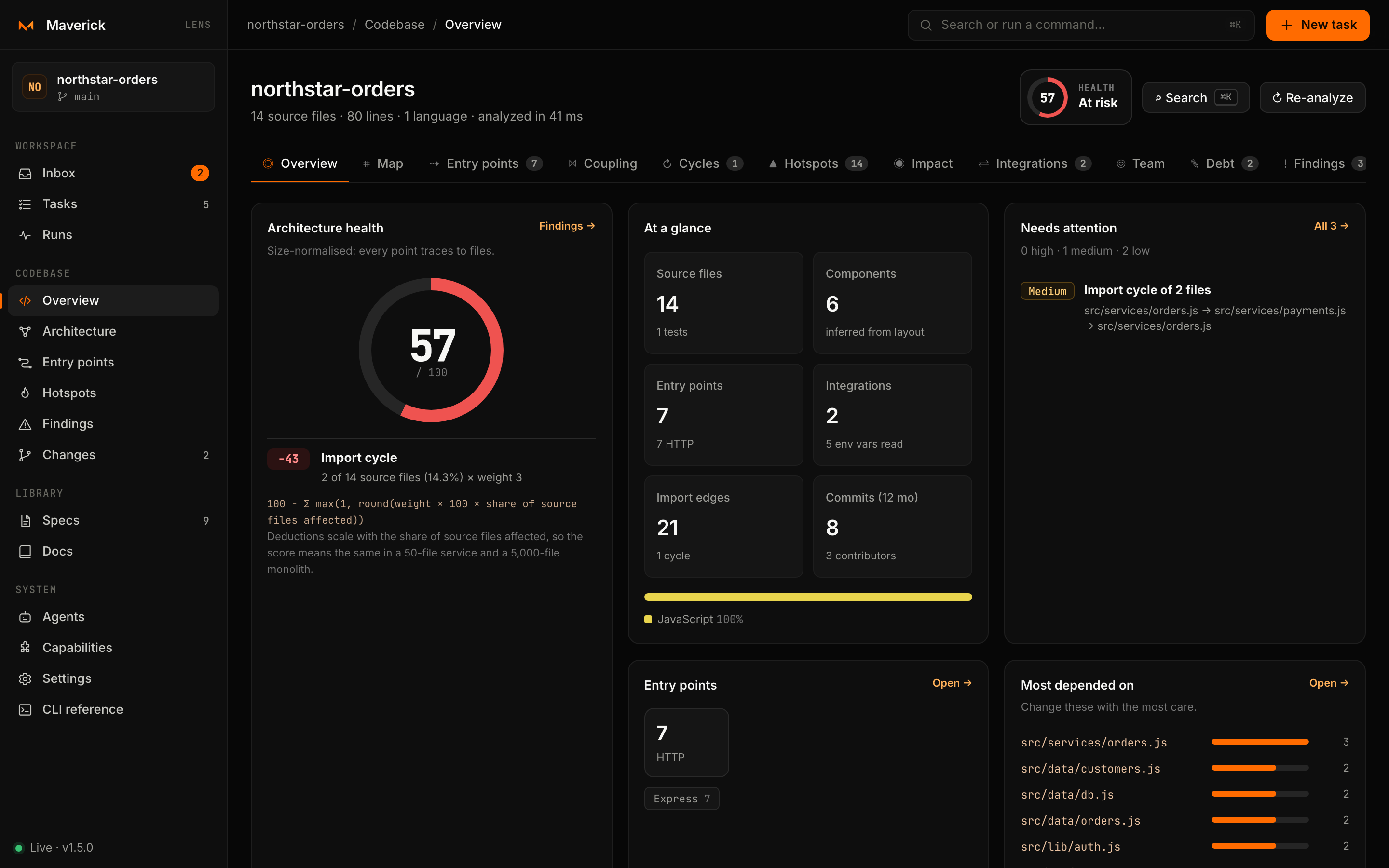
Opening Devtools
The sidebar's Codebase section links straight to the five views used most — Overview, Architecture (the map), Entry points, Hotspots and Findings — plus Changes. Inside Devtools, a tab bar reaches all eleven views; each has an address of the form #devtools/<view>.
The analysis runs the first time you open a Codebase view and is cached by the server. It is discarded whenever the index refreshes after a file change, and rebuilt on the next visit. ↻ Re-analyze forces a fresh scan.
Views
| View | Address | What it answers |
|---|---|---|
| Overview | #devtools/overview | How healthy is the architecture, what is it made of, and what needs attention first? |
| Map | #devtools/map | How do requests enter the application, which components do they flow through, and what does each reach? |
| Entry points | #devtools/routes | Where is POST /orders handled, what guards it, what does it reach, and how do I call it? |
| Coupling | #devtools/coupling | Which components are stable, abstract or in the zone of pain, and who depends on whom? |
| Cycles | #devtools/cycles | Which files and components import each other, and through which loop? |
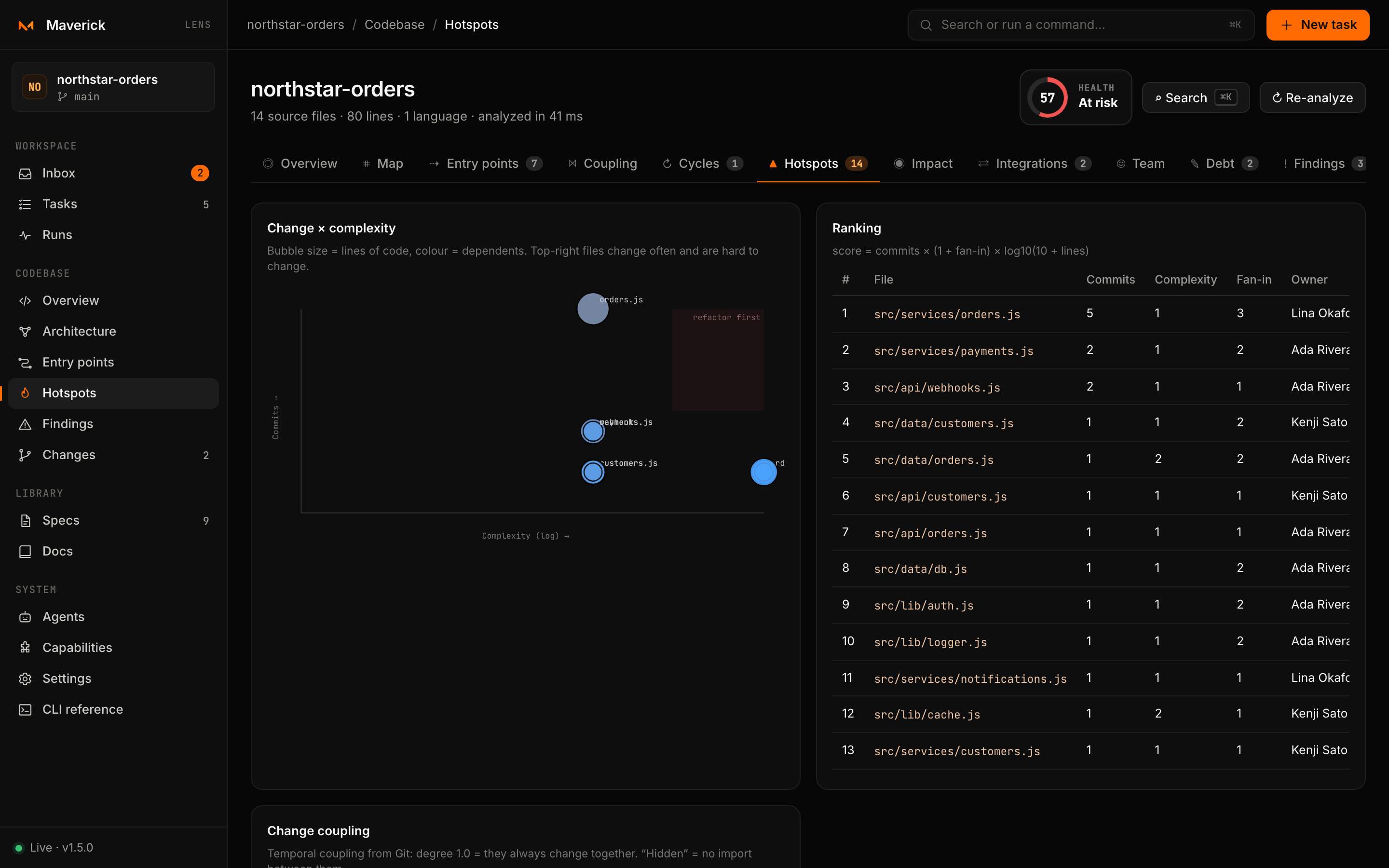
| Hotspots | #devtools/hotspots | Where do change, complexity and dependents meet, and which files secretly change together? |
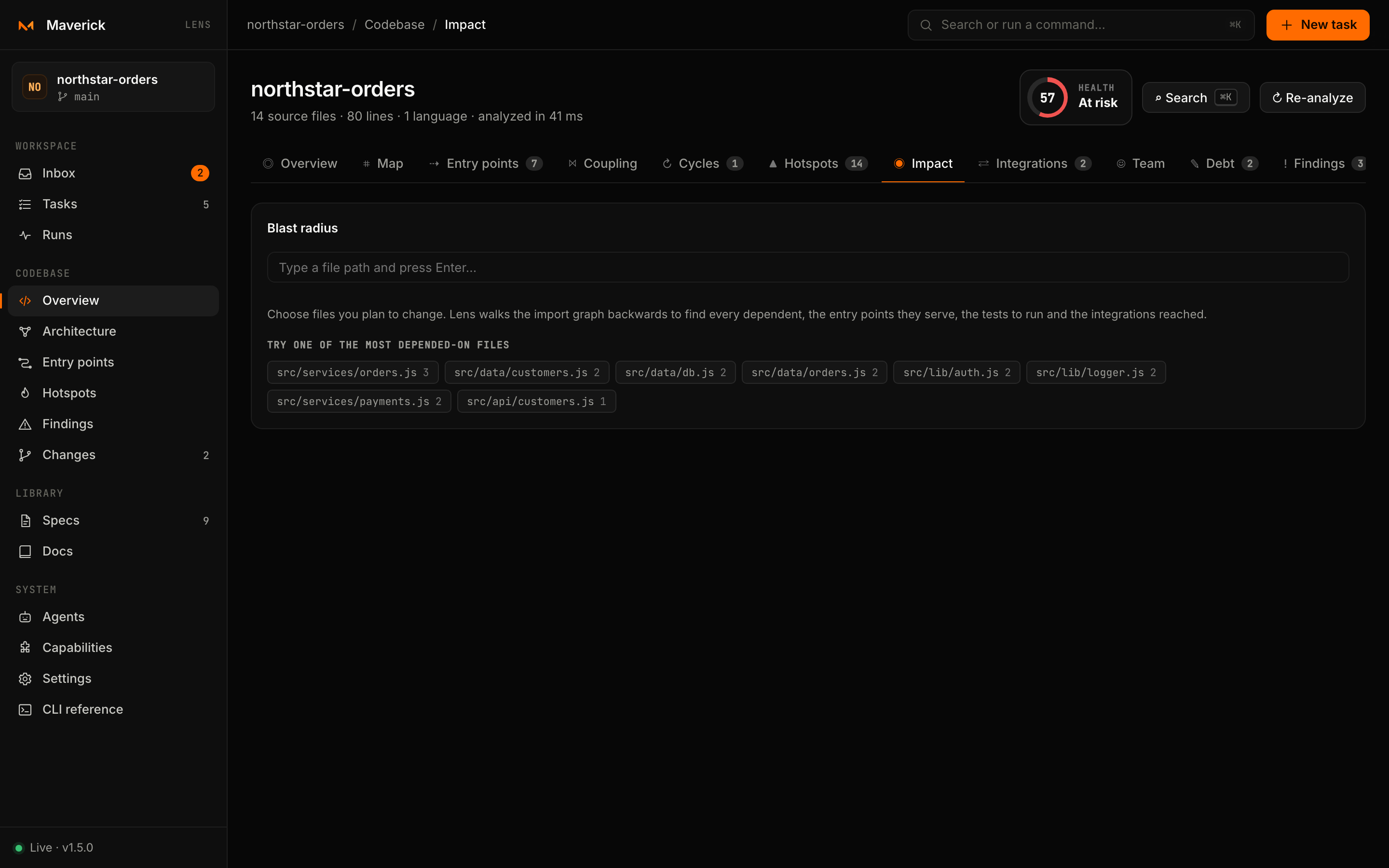
| Impact | #devtools/impact | If I change these files, what else breaks, which entry points are affected and which tests must run? |
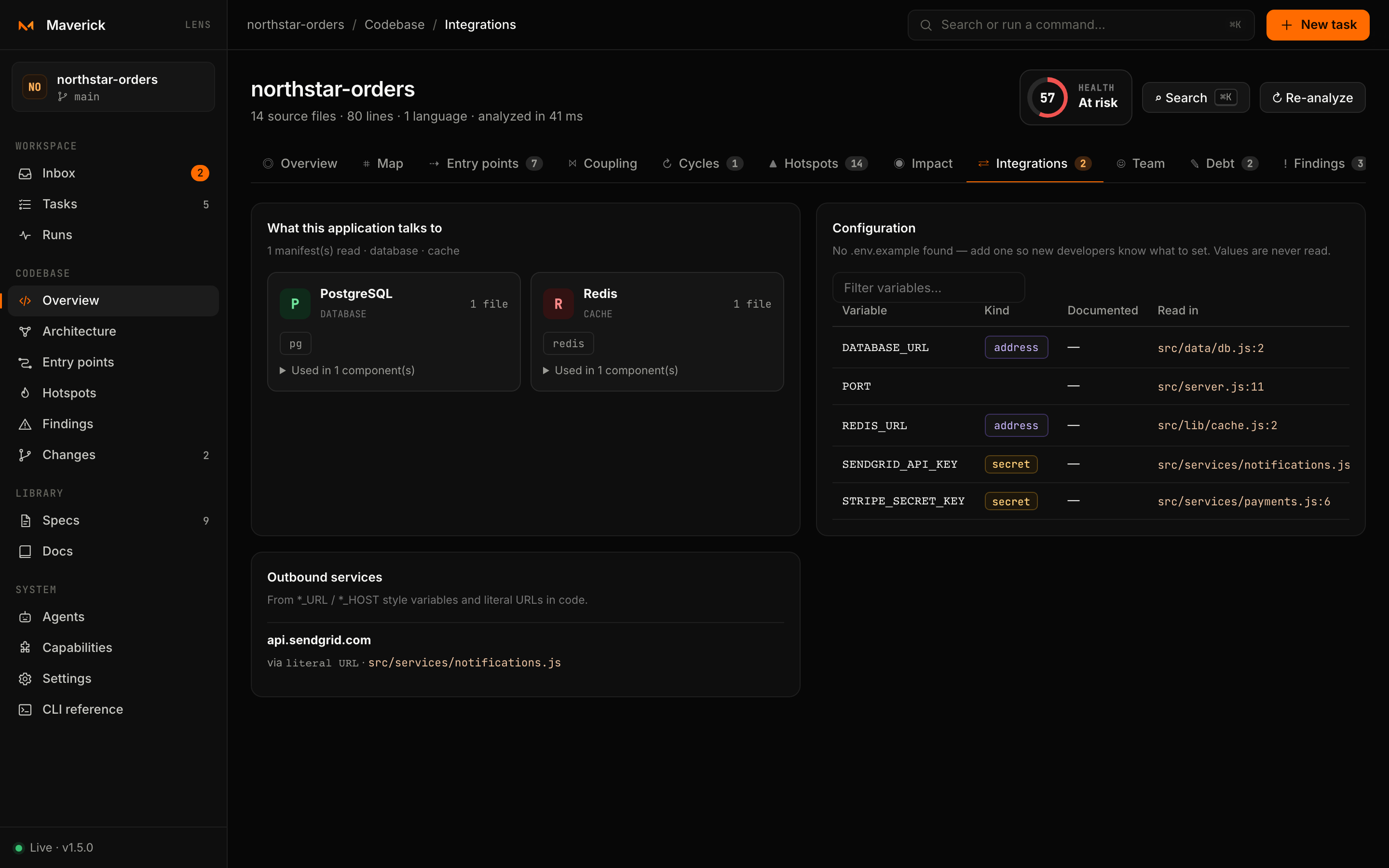
| Integrations | #devtools/integrations | Which databases, brokers, clouds and SaaS APIs does the code use, and which environment variables does it read? |
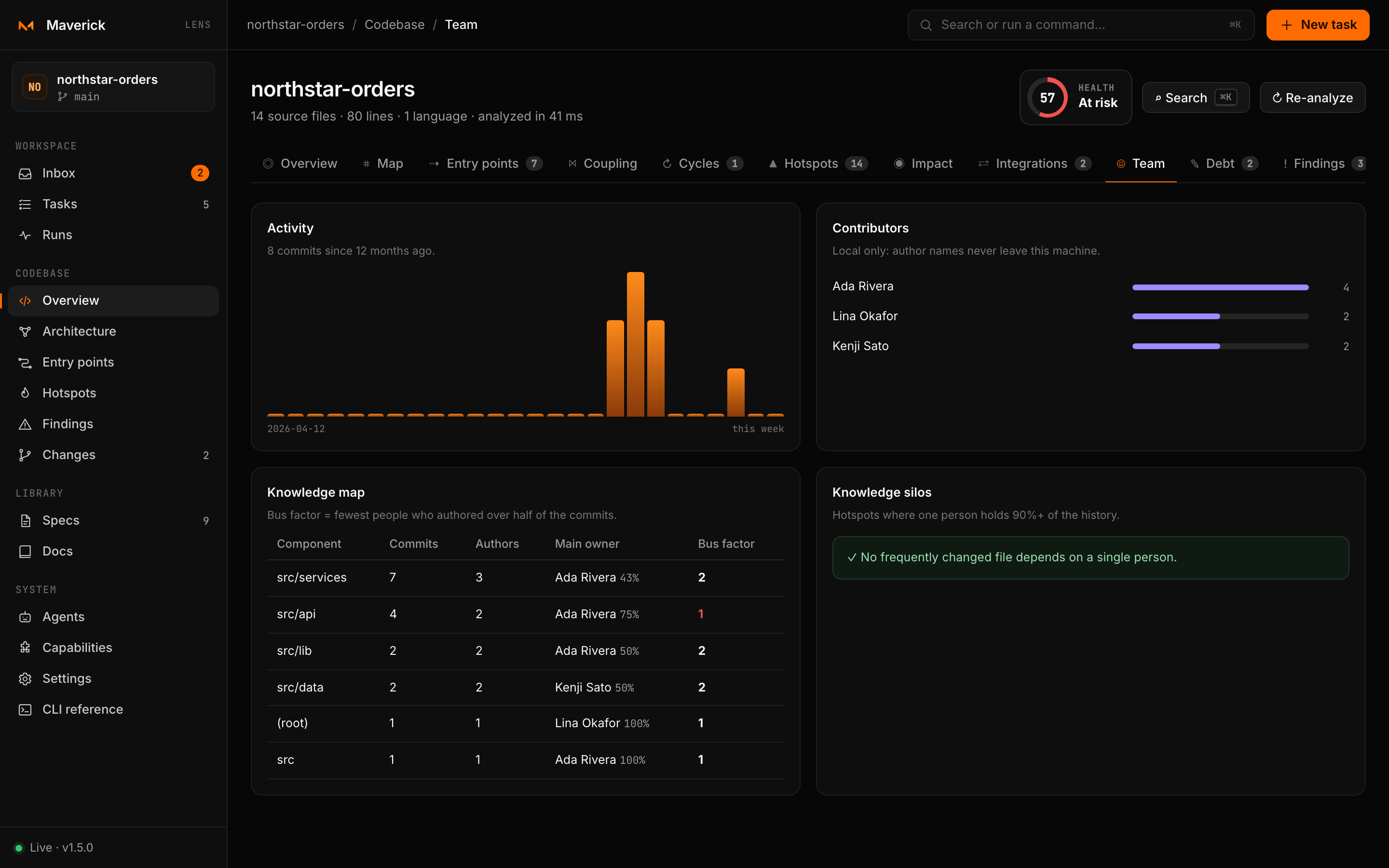
| Team | #devtools/team | Who knows each part, where is the bus factor one, and how active is the repository? |
| Debt | #devtools/debt | Where are the FIXME, HACK and to-do markers, the most complex and largest files, and the files nothing imports? |
| Findings | #devtools/findings | Everything above as one ranked list, each with evidence, a suggested action and Create task. |
Map
The map is laid out in columns: Clients on the left, then components ordered by dependency depth, then the integrations they use on the right. Rows are ordered by barycentre so related nodes line up and edges stay short.
- Click a node to trace its whole upstream and downstream path; everything else dims. The inspector shows metrics, dependencies, dependents, entry points, integrations and ownership.
- Double-click a component, or press Open files, to see its files with neighbouring components collapsed. The address keeps the component (
#devtools/map?component=src/orders), so the view can be shared. - Colour nodes by instability, main-sequence distance, language, churn or complexity. Red edges are cyclic, dashed orange edges are requests, dotted violet edges reach integrations.
- Drag to pan,
⌘/Ctrl+ wheel or pinch to zoom,fto fit,Escto clear the selection. SVG downloads the current map.
Entry points
Routes are grouped by path prefix, file, component or framework, and filtered by method, framework or text. Selecting one shows:
- the request pipeline: guards, the handler and the integrations it reaches through imports;
- a
curlcommand for a base URL you choose; - the source around the handler, and a link that opens it in your editor;
- Impact for the handler file and ⧉ AI context.
Export the filtered list as JSON, CSV, Markdown or a .http file for the REST Client and JetBrains HTTP clients.
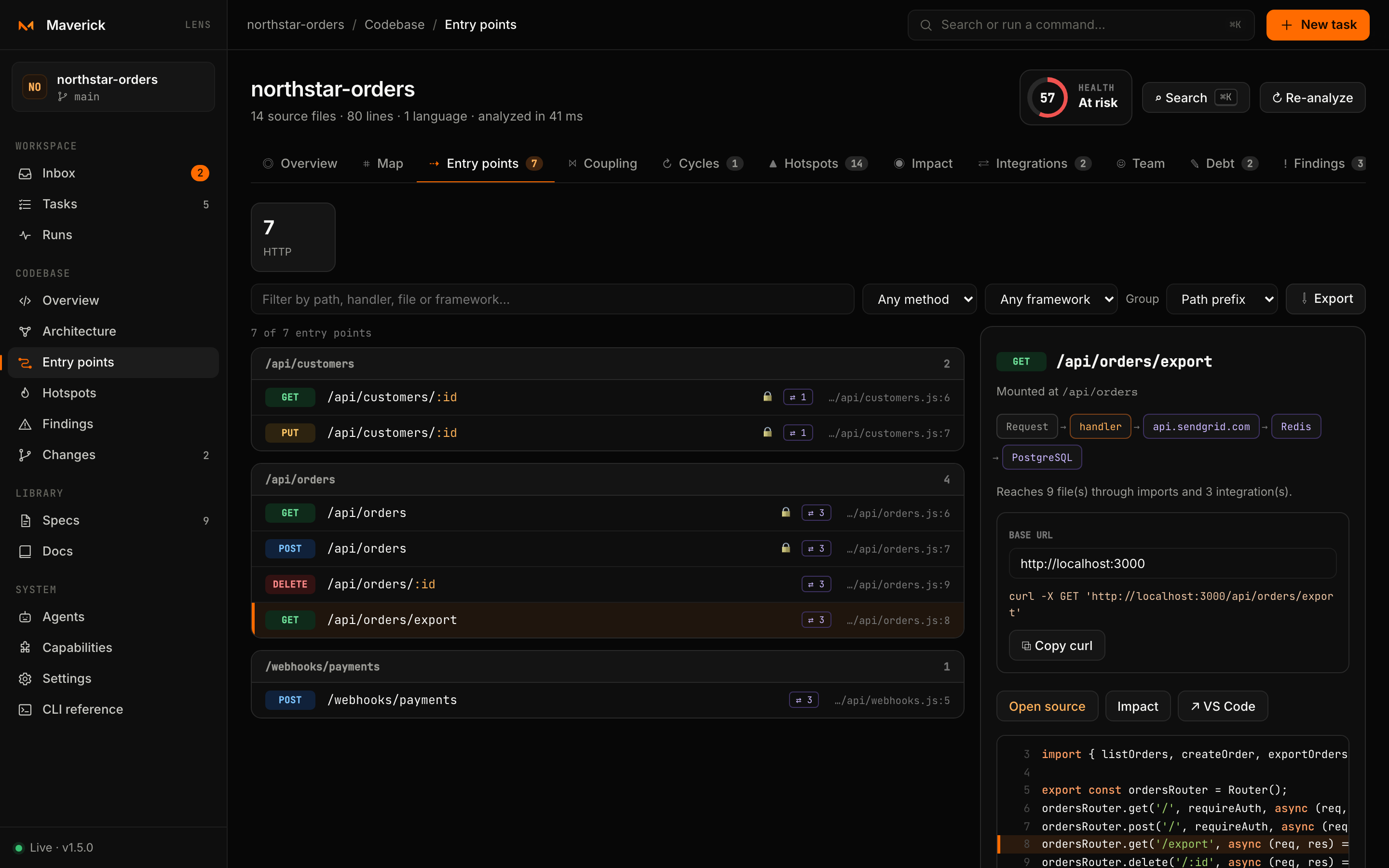
Lens also reports routes defined twice, drift between an OpenAPI contract and the code (documented but not implemented, implemented but not documented), and write routes without a route-level guard when no global guard was found.
Coupling
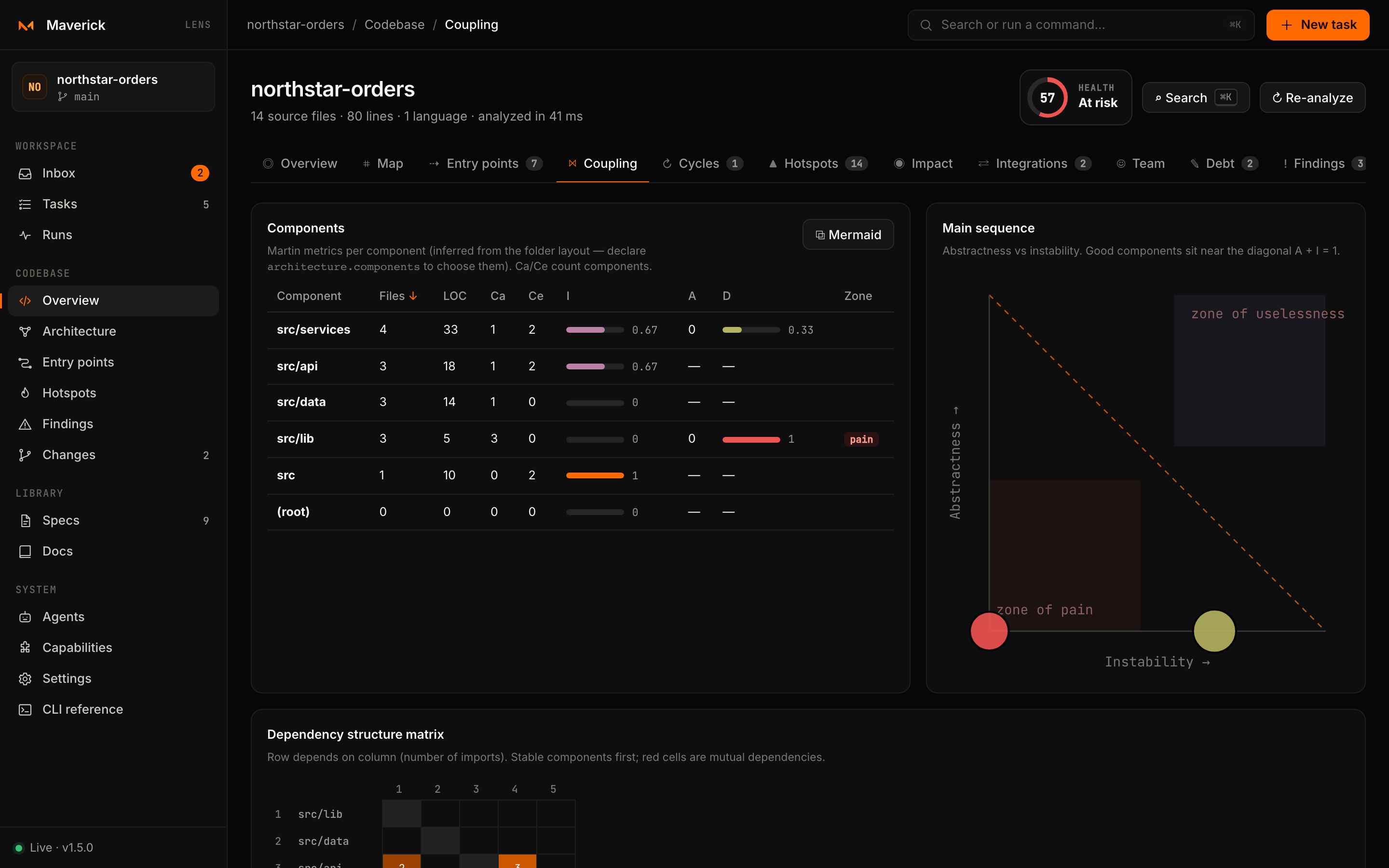
One row per component with Ca, Ce, instability, abstractness and distance — sortable by any column — the main-sequence chart, Stable Dependencies Principle violations and the dependency structure matrix. See How to read the numbers.
Impact
Add one or more files — from the input, from the most-depended-on files it suggests, from Impact on any file or route, or from Changes with the files you have modified — and Lens walks the import graph backwards to show every dependent, the entry points they serve, the tests to run and the integrations reached. The selection is kept in the address: #devtools/impact?file=src/a.ts,src/b.ts.
Findings
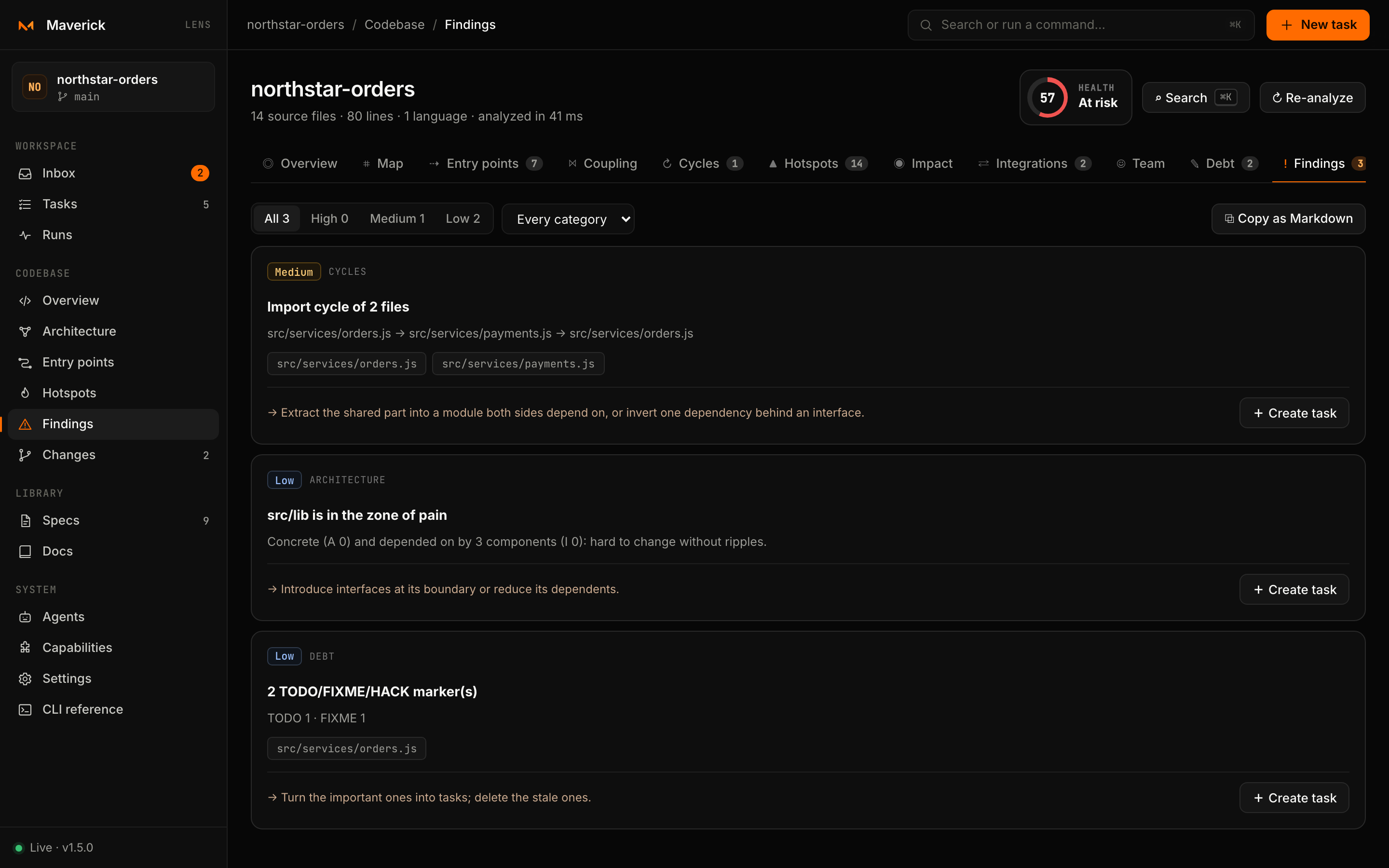
Every signal lands in one ranked list — high, then medium, then low — with its evidence and a suggested action:
| Category | Examples |
|---|---|
| Architecture | Import cycles, hub files, boundary-rule violations, imports against the Stable Dependencies Principle |
| Hotspots | Files that change often, are complex and have many dependents; files that change together without importing each other |
| Complexity and size | Very complex, deeply nested or very large files |
| Routes and contract | Duplicate routes, contract drift |
| Security | Write routes without a route-level guard |
| Configuration | Environment variables read but missing from .env.example |
| Dead code | Files nothing imports that do not look like entry points |
| Knowledge | Components where one person made almost every change |
| Debt | FIXME, HACK and to-do markers |
Create task turns a finding into a Maverick task with maverick new — strict for high-severity and security findings — so fixing architecture debt follows the same reviewed workflow as any other change.
Search
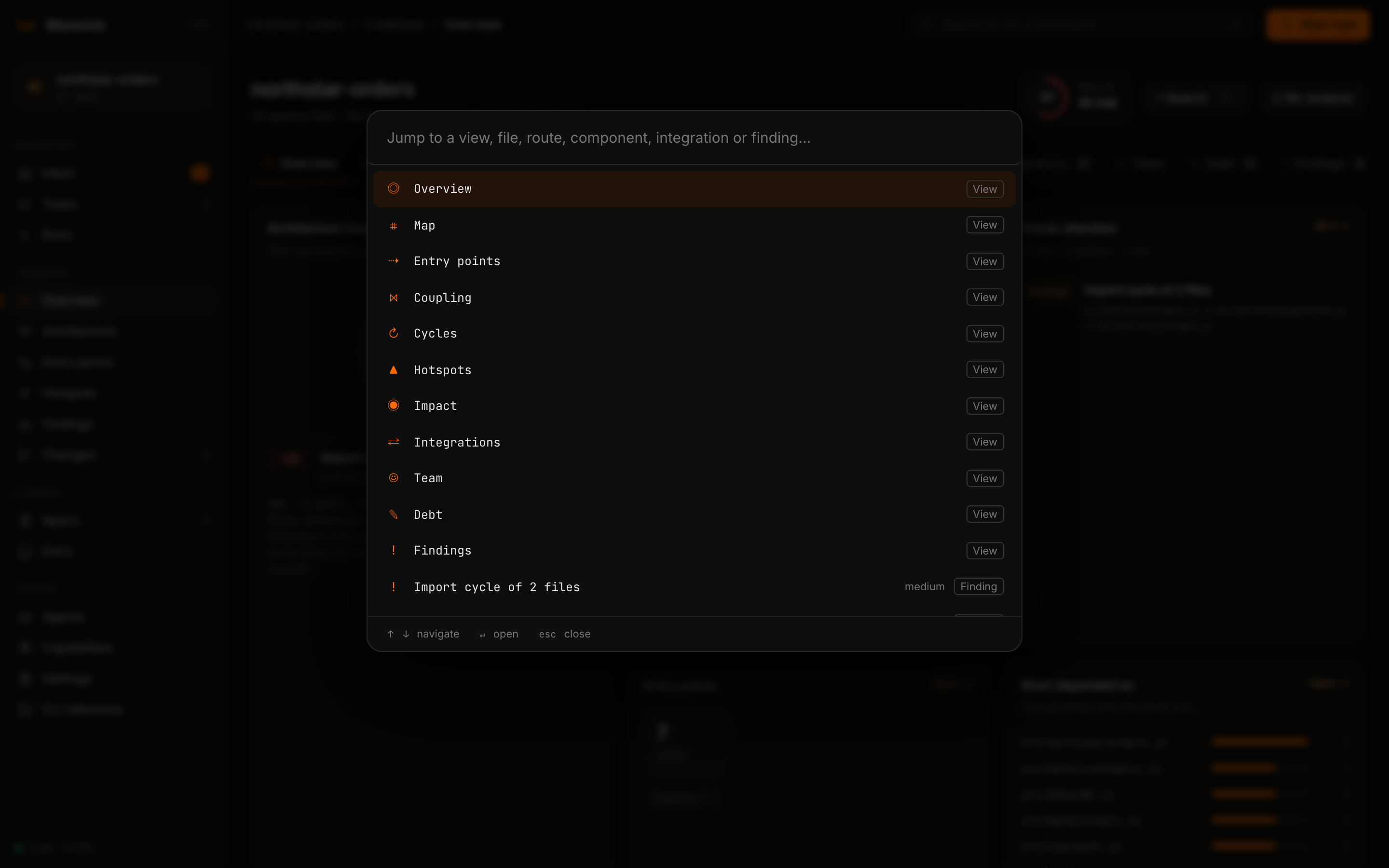
Inside Codebase, ⌘K / Ctrl+K or / opens the Devtools palette. It searches views, components, routes (GET /api/orders), integrations, findings and files. With an empty query it lists the views and the top five findings.
Source, editors and AI context
Open source shows a file in a side sheet — up to 4,000 lines — with what it imports and what imports it. Only files the analysis already knows can be opened; see the security model.
Open in editor links to VS Code, Cursor, Windsurf, JetBrains or Zed at the right line. Your choice is remembered in the browser.
⧉ AI context, on any file or component, copies a Markdown brief: metrics, imports, dependents, entry points affected by a change, tests to run and integrations reached. Paste it into Claude Code, Codex, Cursor or any agent before asking for a change — the same context before code principle as maverick packet.
What is detected
| Area | Coverage |
|---|---|
| Imports | Relative imports everywhere; JS/TS workspace packages and tsconfig/jsconfig paths; Python packages; every go.mod of a monorepo; Rust mod, crate:: and workspace crates; Java/Kotlin packages; C# namespaces; PHP Composer PSR-4; Elixir modules; Dart packages; Ruby require; C/C++ includes. |
| HTTP routes (code) | NestJS (global prefix, URI versioning, guards), Express, Fastify, Koa, Hono, Elysia and plain Node servers (router mounts followed across files); FastAPI, Flask, Django, aiohttp; Spring, JAX-RS, Micronaut, Ktor; ASP.NET Core controllers and minimal APIs; Gin, Echo, Fiber, chi, gorilla/mux, net/http; Actix Web, Axum, Rocket; Rails, Sinatra; Laravel, Symfony, Slim; Phoenix, Plug; Vapor; shelf_router. |
| File-system routes | Next.js (app and pages), Nuxt, SvelteKit, Remix / React Router, Astro, Dart Frog; client routes of React Router, Vue Router and Angular. |
| Contracts | OpenAPI and Swagger (YAML or JSON), GraphQL SDL, protobuf services. |
| Other entry points | Message consumers (Kafka, RabbitMQ, SQS, JMS, NestJS microservices, CQRS handlers), scheduled jobs (@Cron, @Scheduled, Celery tasks), WebSocket gateways, gRPC methods, GraphQL resolvers. |
| Integrations | Databases, caches, brokers, clouds, payments, AI providers, observability, auth and HTTP clients, from the manifests of npm, PyPI, Go, Maven/Gradle, NuGet, Cargo, RubyGems, Composer, Hex and pub, plus docker-compose images. Import specifiers show which files use each one. |
| Configuration | Environment variables read in every mainstream language, flagged as secrets or service addresses, and compared with .env.example. Values are never read. |
| History | Churn, change coupling, ownership and bus factor from the last 12 months of Git. Author names stay local. |
How to read the numbers
Health starts at 100 and deducts, for each rule, max(1, round(weight × 100 × share of source files affected)):
| Rule | Weight | Why it costs |
|---|---|---|
| Import cycle | 3 | Files in a cycle cannot be understood, tested or changed in isolation. |
| Hub file | 2 | Widely used and depending on many others: every change ripples both ways. |
| Boundary violation | 3 | An import the architecture rules in configuration forbid. |
Because the deduction is a share, one cycle costs the same relative to a 50-file service as to a 5,000-file monolith, and any real problem costs at least one point. Every deduction lists its files.
Components are inferred from the folder layout: Lens starts at the top-level folders, splits any folder holding more than a quarter of the files, and collapses single-child chains such as src/main/java/com/acme. For each component:
- Ca (afferent coupling) — components that depend on it; Ce (efferent coupling) — components it depends on.
- I = Ce / (Ca + Ce) — instability; 0 is maximally stable, 1 maximally unstable.
- A = abstract types / types — interfaces, abstract classes, traits and protocols over all declared types and module-level functions.
- D = |A + I − 1| — distance from the main sequence. Concrete components that many others depend on sit in the zone of pain; abstract ones nobody uses in the zone of uselessness.
The Stable Dependencies Principle check lists imports from a stable component into a clearly less stable one. The dependency structure matrix shows how many imports each row makes into each column; red cells are mutual dependencies.
Complexity counts decision points (if, loops, case, catch, &&, || and their equivalents) after strings and comments are removed, so it compares across languages. Nesting is the deepest indentation level.
Configure components and rules
Declare the components you think in and the imports your architecture forbids in .maverick/config.json. Every violation becomes a high-severity finding and a health deduction:
{
  "architecture": {
    "components": ["src/modules/*", "packages/*"],
    "rules": [
      { "from": "src/domain/**", "disallow": ["src/infra/**", "src/http/**"], "reason": "The domain stays framework-free" },
      { "from": "packages/ui/**", "disallow": ["apps/**"], "allow": ["apps/shared/**"] }
    ]
  }
}
components takes folder globs. depth (a fixed folder depth) and maxComponents (2–200) are alternatives for tuning inference. allow lists exceptions to a rule. See Configuration.
The same analysis without a browser
Every view has a CLI counterpart with --json, so CI jobs and agents read exactly what you see:
maverick graph                 # import graph, cycles, hubs and health (--format mermaid|dot)
maverick coupling              # components, Ca/Ce, instability, abstractness, distance
maverick routes --kind http    # entry points in any stack
maverick hotspots              # churn × dependents × size
maverick impact src/billing/tax.py
maverick audit --fail-on high  # ranked findings; non-zero exit when a high one exists
For agents: MCP
maverick mcp serves the analysis and the task state read-only to any MCP client over stdio. It has no dependencies and never writes:
| Tool | Returns |
|---|---|
project_overview | Languages, frameworks, package managers, verification commands and instruction files — call first |
list_tasks · get_task · next_subtasks · loop_status | Tasks with stage, evidence, subtask progress and flow outcomes; one task in full; the subtasks in progress or ready to start |
ground_change | The files, tests, entry points and shared modules a plain-language change request most likely touches, with reasons, plus similar earlier tasks and files that usually change together |
why | Why a line exists: its task, criteria, loop iteration, checks, decisions and the contracts that guard it (no author names) |
impact | Files that import a file directly or transitively, the tests among them, and the entry points affected |
graph_summary | Import-graph health: cycles, hubs, most depended-on files and Git hotspots |
list_routes | Entry points, filterable |
architecture | Components and coupling |
audit | Ranked findings |
search_capabilities | Skills, agents, commands and MCP servers in the catalog (it never installs) |
Register it once in every AI tool the repository uses:
maverick add mcp/maverick --to claude-code,cursor,codex --allow-execLimits
- The analysis is static. Dependency-injection containers, reflection, generated code and routes registered in loops are not followed; the map shows what the code states.
- Import resolution is precise where the language maps imports to files, and deliberately coarse where it maps them to packages (Go directories, C# namespaces).
- A route without a route-level guard may be protected by middleware Lens cannot see. Treat those findings as questions.
- Files over 512 KB are skipped, and scans stop at 5,000 files; the report says when it was truncated. Dependency, build and cache folders are never scanned — see Troubleshooting.