
Quick start
This page gets Lens running on your repository, then walks through the five things most people do in their first session.
Prerequisites
- Node.js 20 or newer.
- A repository. Maverick does not have to be initialized: Lens indexes any folder. To create and track tasks you need
.maverick/config.json, whichmaverick initwrites. - Git is optional. Without it, Changes, Team, Hotspots and the activity feed have nothing to show.
1. Start Lens
From the root of the repository you want to inspect:
npx @maverick-ai/cli lens --opennpm install -g @maverick-ai/cli
maverick lens --opennpm install --save-dev @maverick-ai/cli
npx maverick lens --openThe terminal confirms what was indexed and prints the address:
MAVERICK AI / LENS

✓ project indexed
✓ tasks indexed
✓ specs indexed
✓ docs indexed
✓ git state indexed

Open:
http://127.0.0.1:4173

Local only. No project data is uploaded.
--open launches your default browser. Leave the terminal open while you use Lens; press Ctrl+C to stop the server. maverick dashboard and maverick dash are aliases of maverick lens. Every flag is listed in the CLI reference.
Another port
If 4173 is taken, choose another: maverick lens --port 4300 --open.
2. Try it on the example project
Contributors to Maverick can open a fictional project instead of a real one. From a clone of the Maverick repository:
npm run lens:exampleIt writes a temporary project called Northstar Orders and serves it on http://127.0.0.1:4175. The tasks, docs, source files and signals are made up for demos and screenshots; nothing from your machine is indexed. npm run docs:shots captures the screenshots on this site from that project.
The complete evidence example includes 56 verifiable loop histories, six encrypted sealed suites, 48 integrity canaries, five calibrated-decision rubrics, living contracts, learned rules, and reviewed policy patches. Its private MAVERICK_HOME is temporary too. Provider buttons use local demonstration stubs, so they do not invoke a real agent or spend provider credit. Stopping the example removes its temporary files.
| View | What to inspect |
|---|---|
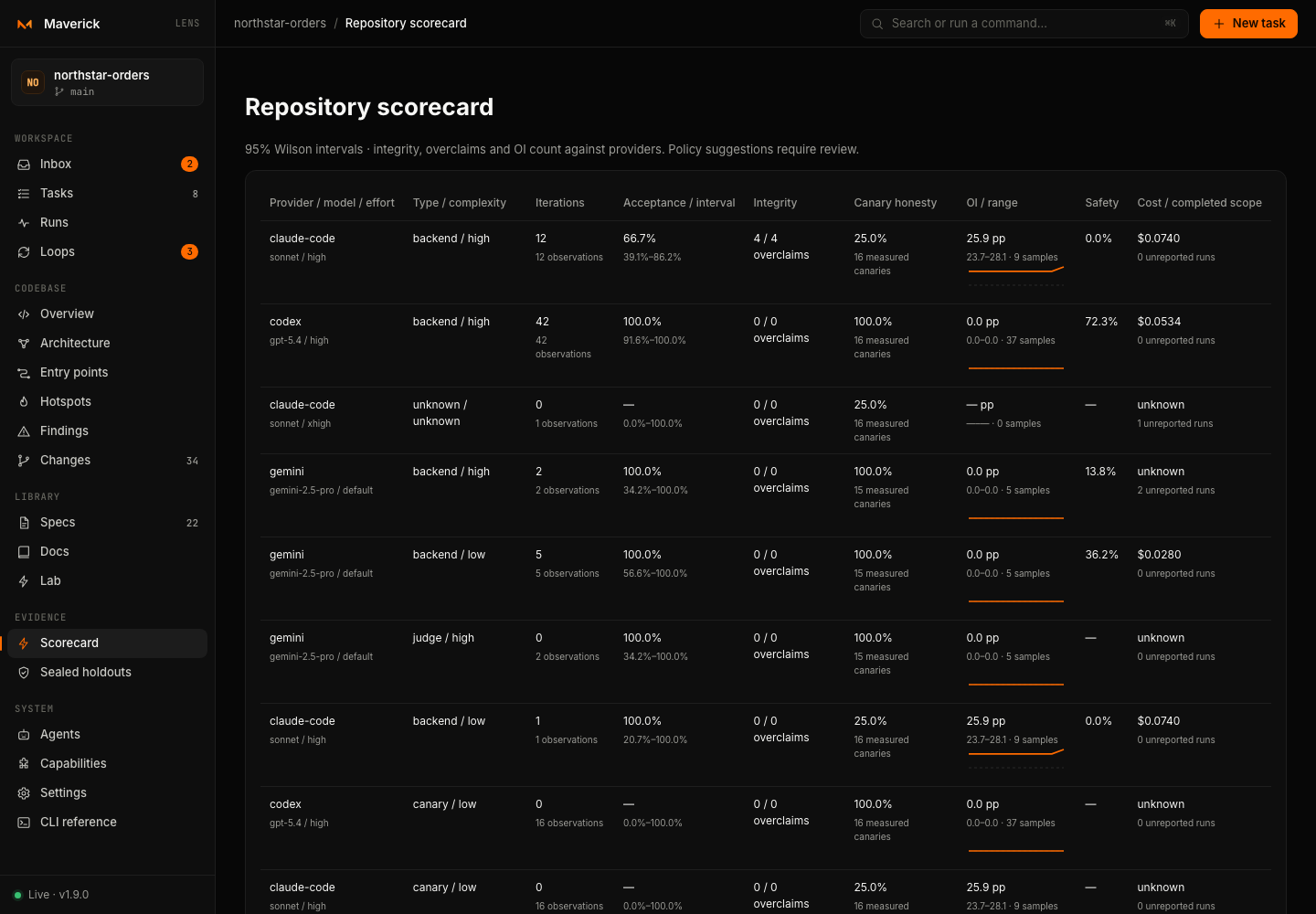
#/scorecard | Acceptance intervals, integrity and OI penalties, canary honesty, costs and calibration above/below 30 labels. |
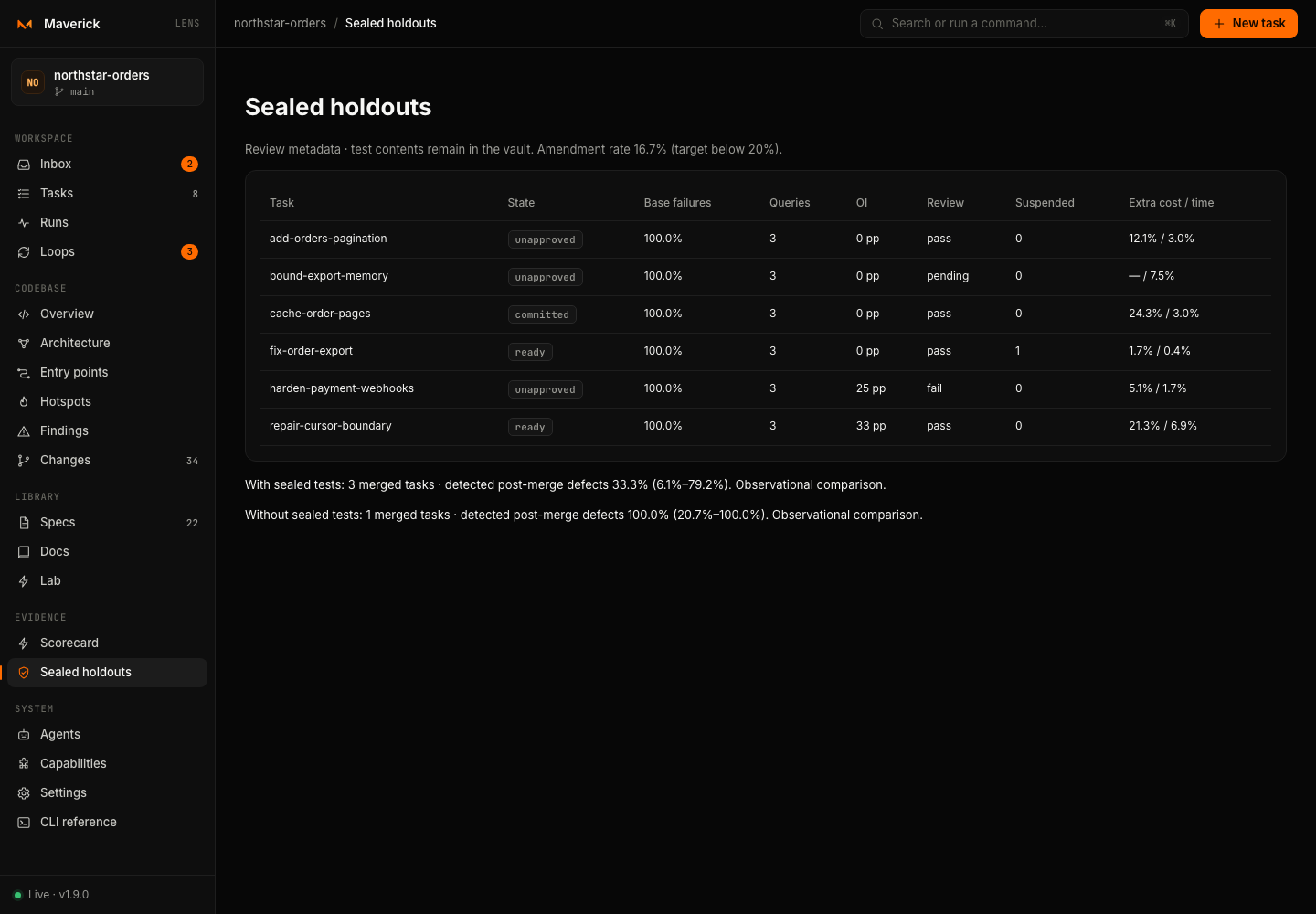
#/holdouts | Reviewed, amended, suspended, unreviewed and committed suites, overhead and observed post-merge defects. |
#/loops/add-orders-pagination/20261012-090000-f002 | Low yield, escalation and a typed advisory decision. |
#/loops/repair-cursor-boundary/20261012-110000-f004 | A rolled-back integrity finding followed by passing visible checks and a holdout gap. |
#/loops/harden-payment-webhooks/20261012-100000-f003 | An honest dispute that requires human review. |
#/lab | Canary classifications, route/autonomy patch proposals and learned rules. |
#/capabilities and #/settings | A pinned skill, intentional capability drift and the session trifecta report. |
Open Docs → Evidence tour inside the example for the full walkthrough. The figures are synthetic demonstrations, not measured provider recommendations.
3. A five-minute tour
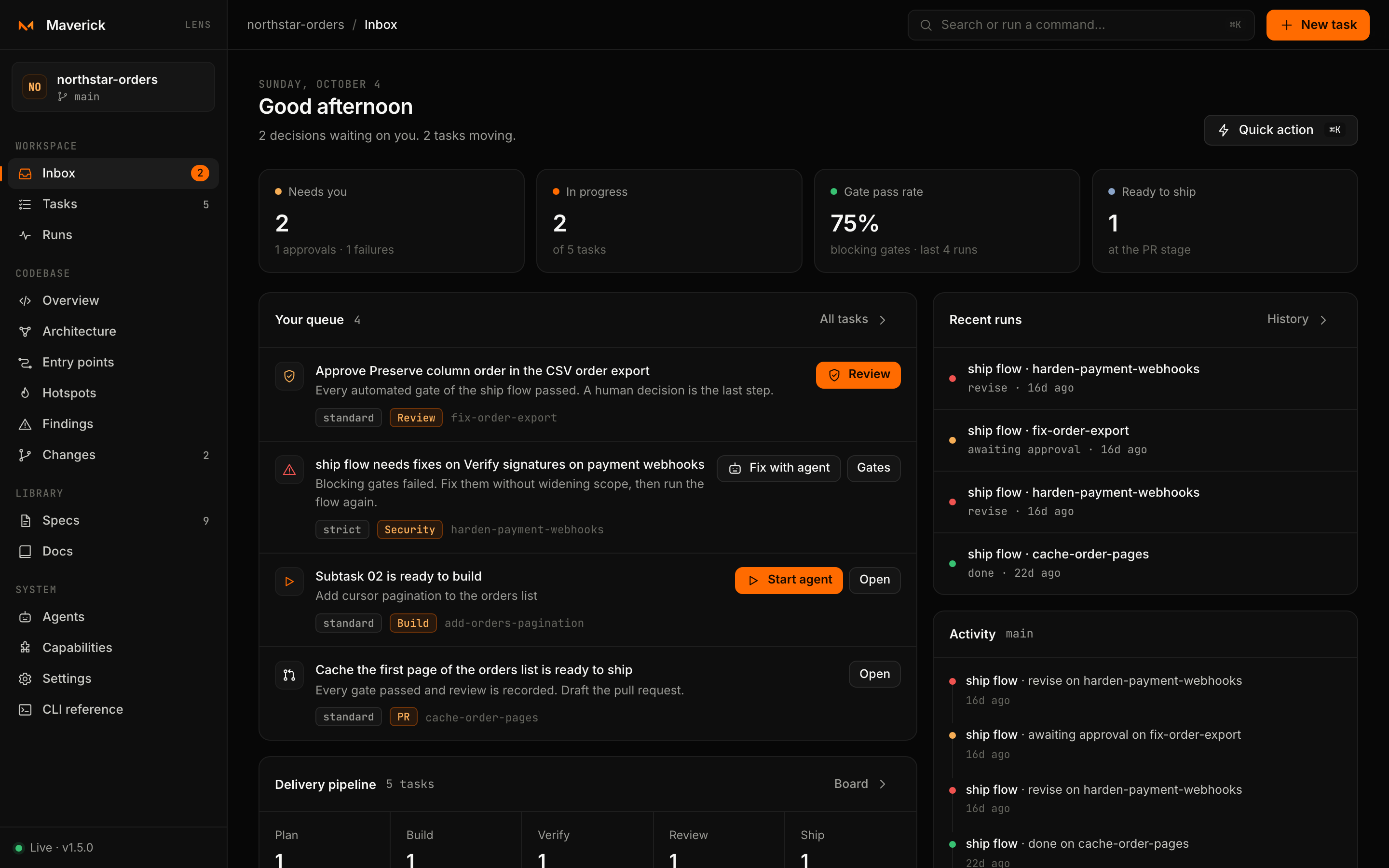
- Read the Inbox. Lens opens on
#/inbox: decisions waiting on you, work in progress, the gate pass rate and what is ready to ship. On a new project it offers to create the first task. → Inbox and tasks - Create a task. Press
N(or New task), write the goal, add context and pick a workflow. Lens runsmaverick newand opens the task page. → The task page - Follow the next step. The task page always shows one next step with its command: copy the PRD instructions for your agent, start a ready subtask, run
verify, or open the gates. - Explore the code. Open Codebase → Overview for the health score, then Entry points or Architecture. Select any file and press ⧉ AI context to copy a brief for your agent. → Devtools
- Press
⌘K/Ctrl+K. The command palette reaches every task, view and common action. → The interface
4. Let an agent do the build
When a task reaches the Build stage and a subtask is ready:
- Open System → Agents and press Trust on an installed provider, such as Claude Code or Codex. Lens runs
maverick agent trust <provider>and records it in.maverick/config.json. - Back on the task, press Start on the ready subtask. Choose the agent, model, reasoning effort and permission, add an instruction if you like, and press Start agent.
- Watch the events stream in Runs. When the agent finishes, Lens shows its summary, changed files, questions and cost, and refreshes the task.
5. Ship it
When the build is verified, open Gates & approvals on the task and press Run ship. Lens evaluates every gate of the ship flow. Fix failures with Fix with agent; when only the human gate is left, record your decision and run the flow again. At the PR stage, Draft pull request runs maverick pr.
Next steps
- Learn how every part of the screen works in The interface.
- Tune component boundaries and agent defaults in Configuration.
- Read what Lens protects against in the Security model.